

Prepare before you start
Follow the numbered actions in order and compare your screen or recording with each expected result. Menu names can differ between application versions. Arrows show the order of settings and choices, not a claim that every account offers the same controls.
A dictionary without difficult abbreviations
| Name | After this step you will see |
|---|---|
| Framing | 9:16 → 1080 × 1920 px; 16:9 → 1920 × 1080 px |
| FPS | 30 FPS = 30 × frames / 1 s |
| Mb/s · MB/s | 1 Mb/s = 1000 kb/s; 1 MB/s = 8 Mb/s |
| CTR | 100 clicks ÷ 1000 thumbnail impressions × 100% = 10% |
| Audience retention | 00:00 → 100; 00:30 → 65; 65 ÷ 100 × 100% = 65% |
Step by step · 1–4
- Action
Copy: Backup → Source files.
✓ After this step you will seeAfter this step you will see: Source files.
- Action
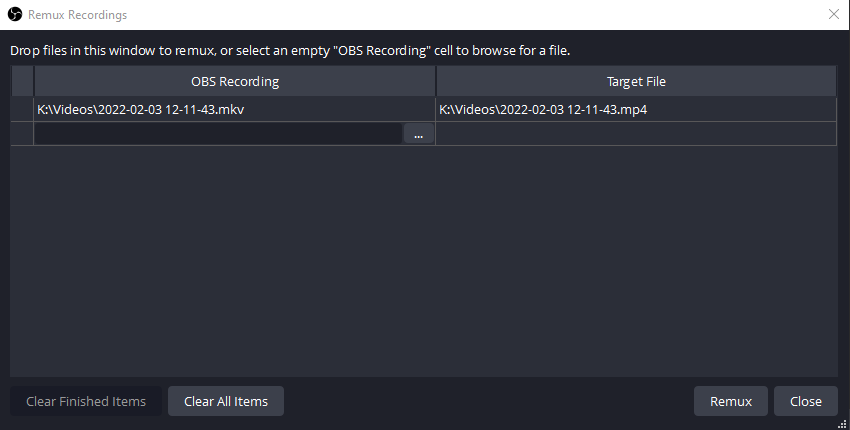
Select or set: Moment → 1 × Results.
✓ After this step you will seeAfter this step you will see: Problem → Evidence → Results.
- Action
Select or set: Framing → 9:16 / 1080 × 1920.
✓ After this step you will seeAfter this step you will see: 9:16.
- Action
Edit: Timeline → Results → Demonstration.
✓ After this step you will seeAfter this step you will see: Promise.
 Enlarge the screenshot ↗
Step by step · 5–8
- Action
Select or set: Crop → Face + Demonstration.
✓ After this step you will seeAfter this step you will see: Readability.
- Action
Edit: Duration (s) → 20–60 s.
✓ After this step you will seeAfter this step you will see: Problem → Demonstration → Results.
- Action
Write down: Subtitles → Correct names.
✓ After this step you will seeAfter this step you will see: Readability.
- Action
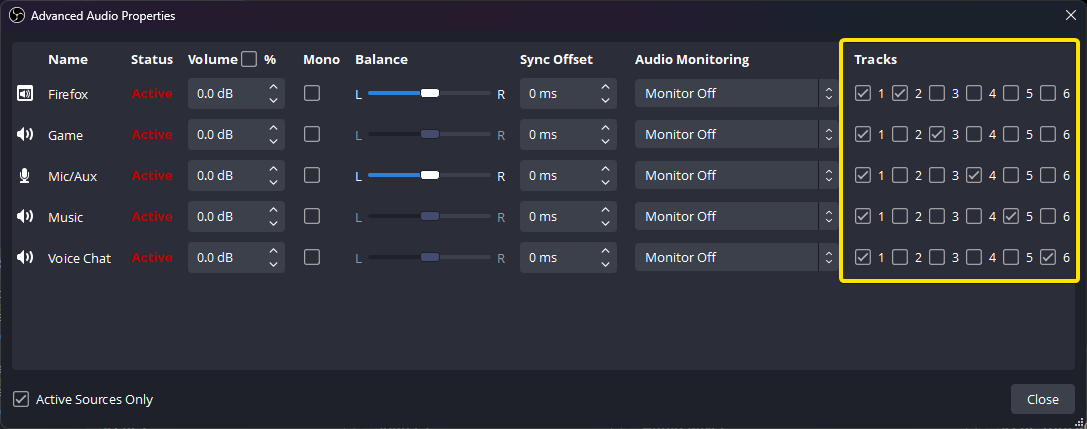
Check: Audio → Music + Usage rights.
✓ After this step you will seeAfter this step you will see: Usage rights.
 Enlarge the screenshot ↗
Step by step · 9–12
- Action
Check: Privacy → Privacy ✓.
✓ After this step you will seeAfter this step you will see: Privacy ✓.
- Action
Upload: Visibility → Private.
✓ After this step you will seeAfter this step you will see: Usage rights + File.
- Action
Test: Preview → Phone application · 100%.
✓ After this step you will seeAfter this step you will see: Viewer output.
- Action
Compare: Audience retention → Audience retention ↓.
✓ After this step you will seeAfter this step you will see: Results → One change at a time.
 Enlarge the screenshot ↗
Settings · Context
| Action | After this step you will see | Context |
|---|---|---|
| Framing | 1080 × 1920 / 9:16 | 9:16 |
| Duration (s) | 20–60 s | Problem → Demonstration → Results |
| Subtitles | Correct names | Readability |
| Audio | Music + Usage rights | Usage rights |
Quick setup · Short test
Choose your own excerpt with a clear setup, action and ending. Create a vertical project copy without stretching the landscape footage. Reframe the face and action and keep captions away from interface buttons. Watch on a phone without relying on knowledge of the full stream.
Correct names and numbers in subtitles manually. Do not try to fit an entire broadcast by speeding everything up. Music permitted in one tool or short format is not automatically licensed for longer videos and every other platform.
- Select or set: Framing → 9:16 / 1080 × 1920.
- Edit: Duration (s) → 20–60 s.
- Check: Privacy → Privacy ✓.
- Compare: Audience retention → Audience retention ↓.
Before you go live
Keep your existing configuration and original source file first. Change one parameter at a time. Check a short recording or the actual viewer output, rather than relying only on the editor. Restore the recorded baseline if the result gets worse.
- One change at a time → Baseline.
- Viewer output → Short test.
- Results → Backup.
Before you go live
- Baseline ✓
- Usage rights ✓
- Viewer output ✓
- Backup ✓
- One change at a time ✓
Frequently asked questions
Prepare before you start?
Account / Source files. Baseline → Backup. Short test → Viewer output. Copy: Backup → Source files.
Stop and check?
After this step you will see: Results → One change at a time. Keep your existing configuration and original source file first. Change one parameter at a time. Check a short recording or the actual viewer output, rather than relying only on the editor. Restore the recorded baseline if the result gets worse.
Context?
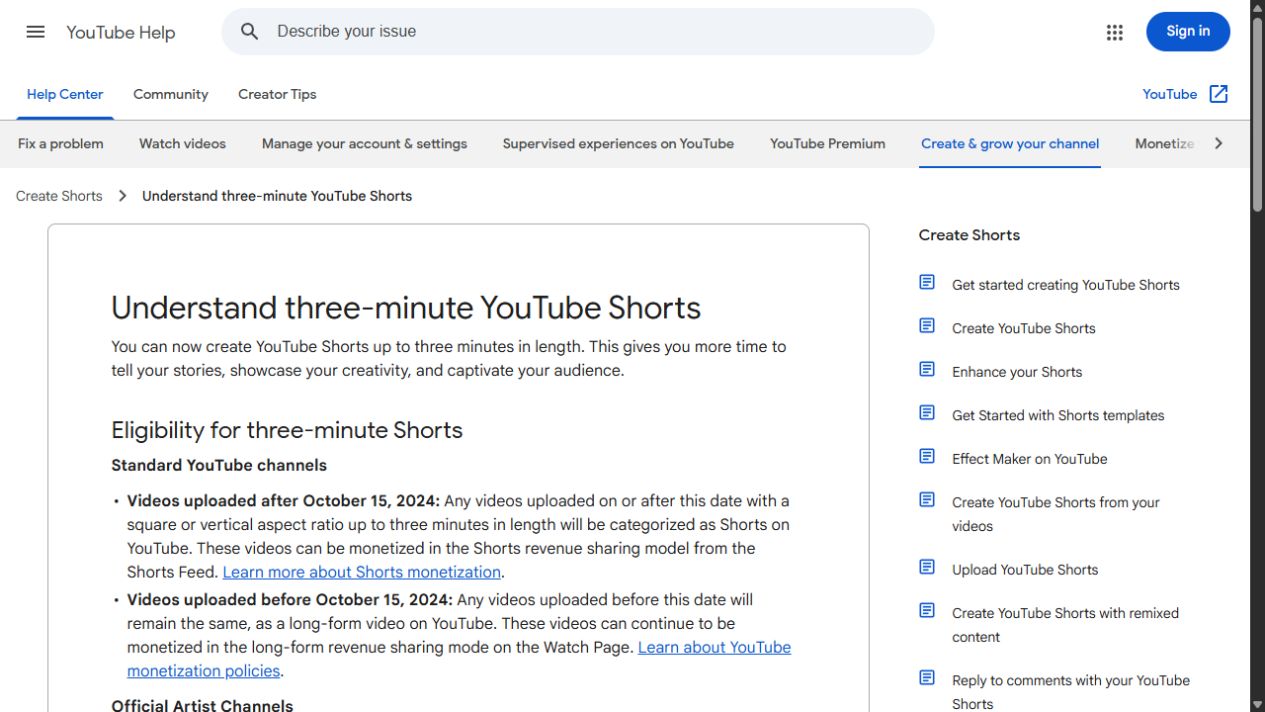
The 20–60 second exercise is not the Shorts limit: eligible vertical or square videos can currently last up to three minutes. A Short over one minute with an active Content ID claim can be blocked worldwide. Check music before publishing.